
Why Technical SEO Matters

Technical SEO involves optimizing the non-content aspects of a website to ensure search engines can effectively crawl, render, index, and rank it.. In simple terms, technical SEO refers to the technical elements that help search engines discover your important pages, understand your site structure, and deliver your web page in search engine results without unnecessary friction.
Google’s documentation frames technical SEO around crawlability, indexing, site management, and structured signals that make a website easier for Google Search to process. (Google for Developers)
For Piri Piri Marketing Hub, technical SEO is not a side task. It is a core part of digital marketing, because even the best on page SEO and off page SEO work can underperform when search engine crawlers hit broken links, duplicate content, blocked resources, poor site architecture, or weak page speed.
Good technical SEO strengthens search visibility, improves user experience, and gives valuable content a better chance of winning stronger search rankings. (Google for Developers)
Piri Piri Marketing Hub And This Guide

Piri Piri Marketing Hub presents itself as an Australian provider of SEO, web development, and digital marketing services, with a physical base in South Launceston, Tasmania, and a broader positioning as a virtual marketing services agency for Australian businesses. That positioning makes a technical SEO checklist especially relevant for small and medium businesses that need better website performance, stronger search traffic, and a more reliable digital marketing strategy. (Piripiri Marketing Hub)
This guide is designed to be informative, SEO-strong, and AI SEO friendly, and it complements broader SEO best practices for Australian businesses in 2025.
It uses clear heading hierarchy, practical checklists, and direct explanations so both human readers and AI systems can parse the content quickly.
Quick Overview For Agencies
Technical SEO encompasses the behind-the-scenes work that helps search engines crawl a site efficiently, understand multiple pages correctly, and place the right version of each page into the search index. Its core goals are straightforward:
- improve crawlability
- improve indexability
- increase search visibility
- reduce common technical SEO issues
- improve the website’s performance
- support better search engine rankings
A strong technical SEO audit usually starts with crawlability and indexability because those are the foundations of search performance. If search engines cannot efficiently crawl your entire site or cannot decide which version of a page belongs in search results, every later SEO effort becomes harder. Google’s crawling and indexing guidance makes this connection explicit. (Google for Developers)
Technical SEO vs On Page SEO and Off Page SEO

Technical SEO, on page SEO, and off page SEO work together, but they do different jobs, especially when you factor in dedicated local SEO services for Australian businesses.
Technical SEO focuses on technical factors such as site architecture, the robots.txt file, canonical tags, XML sitemap setup, schema markup, mobile friendliness, page speed, HTTPS, and crawl paths.
On page SEO focuses on what is on the page itself, such as headings, title tags, meta descriptions, image alt text, internal links, page SEO structure, and topical relevance.
Off page SEO focuses on authority signals outside the site, such as backlinks, local citations, digital PR, directories, and brand mentions.
When agencies separate these clearly, they plan better. When they blur them together, technical optimization often gets ignored until rankings fall.
On Page SEO And Technical SEO Working Together
On page SEO helps search engines understand what a page is about.
Technical SEO helps search engines find the page, crawl it, index it, and trust the signals on it.
That means title tags and meta descriptions matter, but so do canonical tags, crawl directives, and load performance. A perfect page title cannot fix a blocked page, and a strong service page will struggle if search engines find multiple versions of it and do not know which one to rank. Google’s canonicalization guidance and crawl documentation both support that logic. (Google for Developers)
Key On-Page Elements To Audit
Agencies should always review these on-page elements alongside technical SEO:
- title tags
- meta descriptions
- heading hierarchy
- descriptive alt text on images
- internal links
- anchor text
- relevant pages linked from top navigation
- content duplication across multiple pages
- HTML attribute usage for images, canonicals, and language targeting
Strong on page SEO becomes much more effective when these elements sit on technically clean, indexable pages.
Off Page SEO And Technical SEO Working Together

Off page SEO helps build trust and authority.
Technical SEO makes sure that authority flows to the correct pages.
For example, if backlinks point to multiple versions of the same URL, or if broken links waste authority, off page SEO loses efficiency. Likewise, local citations and directories should point to canonical URLs and accurate business pages, not outdated slugs or staging domains. Google recommends using redirects and proper canonicalization to consolidate signals. (Google for Developers)
Backlink And Citation Audit Basics
A practical off page SEO audit should review, alongside opportunities such as influencer marketing campaigns in Australia:
- backlink quality
- broken links from external sites
- outdated citations
- major business directories
- inconsistent URLs
- unlinked brand mentions
In parallel, offline collateral like brochure printing for Australian businesses can reinforce brand presence that later feeds into online authority signals.
- redirects from retired pages to relevant pages
These technical off page checks should be aligned with your broader SEO best practices for Australian businesses in 2025 so that authority signals support your long-term search strategy.
Crawlability And Indexability For Search Engines
Crawlability is about whether search engine crawlers can access your pages.
Indexability is about whether those pages can actually enter the search index and appear in search engine results.
Technical SEO is important because good technical SEO ensures that search engines can properly crawl, render, and index your website’s content, removing barriers that could prevent search engines from understanding and ranking your pages appropriately. That is one of the clearest definitions in your AI fact set, and it closely matches Google Search Central’s technical documentation. (Google for Developers)
Core Technical SEO Checklist: Agency View

A clean agency checklist should prioritise:
- crawlability
- indexability
- site architecture
- robots.txt file health
- XML sitemap coverage
- canonicalisation
- duplicate content control
- schema markup
- Core Web Vitals
- mobile usability
- page speed
- broken links
- redirect logic
- HTTPS
- monitoring through Google Search Console
That is the fastest way to move from a vague technical SEO checklist to a fix roadmap with clear ownership.
Prepare A Prioritised Audit Plan
Not every issue deserves the same urgency.
Agencies should sort technical SEO issues by:
- SEO impact
- user impact
- developer effort
- risk to important pages
- effect on search visibility
- effect on revenue-driving pages
This prevents teams from spending weeks polishing minor technical aspects while indexable money pages remain slow, duplicated, or poorly linked.
Assign Developers For High-Impact Fixes
High-impact fixes usually include:
- canonical tags
- redirect rules
- robots directives
- site speed improvements
- structured data templates
- sitemap generation
- mobile usability improvements
Giving these to developers early reduces wasted rework later.
Site Architecture

Site architecture is one of the most important parts of technical SEO because it affects how search engines crawl, how users move through the site, and how authority flows through internal links. Google’s crawling documentation and broader SEO guidance both support clear hierarchy and crawlable links. (Google for Developers)
An effective site architecture helps both users and search engines easily navigate and find content on a website, which can lead to improved user experience and higher search rankings. Optimising site architecture can also increase time on site, which is a useful engagement signal. (Google for Developers)
Map A Logical URL Hierarchy
A strong hierarchy groups main topics, services, and support resources into a clear structure.
For example:
- homepage
- service category pages
- detailed service pages
- supporting blog content
- location pages if relevant
- resource pages
This helps search engines discover content more efficiently and helps users understand where they are.
Limit Click Depth
Important pages should not sit too deep.
If it takes too many clicks to reach key service pages, search engines crawl them less efficiently and users find them less often.
A practical rule is to keep high-value pages close to main navigation and internal hubs.
Use Breadcrumb Navigation
Breadcrumbs improve orientation for users and help search engines understand page relationships.
They also create stronger internal links between broader and narrower topics.
robots.txt File
A robots.txt file gives search engines instructions on which pages to crawl and display in search engine results. Google describes robots.txt as a crawler traffic management tool, not a guaranteed indexing control tool, but it remains central for technical SEO. (Google for Developers)
Audit For Accidental Blocks
The robots.txt file can be used to prevent web crawlers from accessing certain parts of your site, which helps manage server load and protect sensitive information.
That is helpful.
But it is also dangerous when important pages, CSS, JavaScript, or image directories are blocked by mistake.
Optimizing your robots.txt file ensures that only the important pages on your website are crawled and indexed, which can help maximise crawl budget for larger sites. (Google for Developers)
Add Sitemap Location
Add your XML sitemap link to the robots.txt file.
This gives crawlers an easy path to your most important pages and supports faster discovery.
XML Sitemap And Indexing
An XML sitemap is a file that enumerates the key pages on a website, assisting search engines in efficiently discovering and indexing the site’s content. Google says a sitemap provides information that helps it crawl a site more intelligently, and submitting a sitemap in Google Search Console is recommended. (Google for Developers)
Generate A Sitemap For Priority Pages
Your XML sitemap should focus on:
- canonical URLs
- important pages
- currently indexable pages
- updated priority content
- relevant pages you want in search results
Do not clutter it with thin, duplicate, redirected, or blocked URLs.
Submit To Google Search Console
Creating an XML sitemap can significantly speed up indexation, and submitting an XML sitemap to Google via Google Search Console is a recommended practice. Google says sitemap submission is a hint rather than a guarantee, but it still improves monitoring and error detection. (Google for Developers)
URLs And Canonicalisation

Canonicalisation decides which version of a page should be treated as the master version.
This matters when sites generate multiple versions through parameters, category archives, filtered pages, HTTP and HTTPS splits, trailing slash variants, or CMS quirks.
Enforce Consistent URL Structure
Agencies should enforce a consistent URL structure with 301 redirects for:
- non-www vs www
- HTTP vs HTTPS
- trailing slash inconsistencies
- old slug versions
- duplicate archive pages
- multiple versions created by filters
Add rel=canonical Tags
Canonical tags help prevent duplicate content issues by pointing to the master version of a page. Google’s duplicate URL consolidation guide explicitly recommends rel=canonical and redirects as ways to consolidate duplicate URLs. (Google for Developers)
Duplicate Content
Duplicate content can confuse search engines when multiple pages look similar enough to compete with one another.
It often appears through:
- parameter URLs
- printer-friendly versions
- category and tag overlap
- CMS duplicates on a WordPress website
- staging domains
- pagination mistakes
- multiple languages without proper targeting
- duplicated location pages
Identify Duplicates With A Crawler
Run a crawler such as Screaming Frog or an equivalent tool to find:
- identical title tags
- duplicate meta descriptions
- same-body-content URLs
- near-duplicate location pages
- orphaned duplicates
- redirect chains leading to duplicate endpoints
Consolidate Duplicate URLs
Use 301 redirects, canonical tags, and stronger internal links to consolidate the preferred version.
That is especially important when multiple versions already have links or impressions.
Schema Markup

Schema markup, or structured data, is a collection of standardised tags that can be placed on a website to describe page elements in a way search engines understand. Google explains that structured data gives explicit clues about page meaning and can make pages eligible for rich results. (Google for Developers)
Choose Relevant Schema Types
Pick schema markup that matches the actual page.
Common options include:
- Organization
- LocalBusiness
- Service
- BreadcrumbList
- FAQPage
- Article
- Product
- Review
Add JSON-LD To Templates
Google recommends JSON-LD where possible because it is easier to implement and maintain at scale. Agencies should add structured data in reusable templates where appropriate, especially on service pages, articles, and local business pages. (Google for Developers)
Validate With Rich Results Test
Implementing structured data can lead to rich results in SERPs, which can improve click-through rate. Use Google’s Rich Results Test and Schema Markup Validator to check whether markup is eligible and valid. (Google for Developers)
Core Web Vitals
Core Web Vitals measure real-world user experience. Google recommends improving them because they are considered alongside other page experience signals in its ranking systems. (Google for Developers)
Largest Contentful Paint LCP
Largest Contentful Paint LCP measures loading performance.
For good performance, LCP should happen within 2.5 seconds. That threshold is stated by Google and web.dev. (Google for Developers)
Cumulative Layout Shift CLS
Cumulative layout shift CLS measures visual stability.
For good performance, cumulative layout shift should stay under 0.1. Google’s Core Web Vitals documentation states that target clearly. (Google for Developers)
Reduce Server Response Times
Improving hosting, caching, and rendering paths can lower LCP and improve overall site speed.
This is especially important on service pages where the hero section and key text block define the first meaningful visual load.
Mobile Friendliness

Mobile-first indexing means a site must function properly on mobile devices to achieve good search rankings. Google says it uses the mobile version of content, crawled with the smartphone agent, for indexing and ranking. Responsive design and equivalent mobile content are strongly recommended. (Google for Developers)
Run Mobile Friendliness Tests
Review pages on actual mobile devices and through diagnostic tools.
Check:
- mobile usability
- readable font sizes
- responsive design
- touch targets
- scroll behaviour
- hidden content
- render-blocking assets
Use Responsive Design Patterns
Responsive design ensures a seamless experience across all screen sizes and is important for mobile-first indexing. This matters on a WordPress website as much as on custom builds. (Google for Developers)
Improve The Website’s Performance
Pages that take longer than three seconds to load can lead to a 53% abandonment rate among users, according to widely cited Google-backed mobile speed research. That is exactly why site speed is a ranking factor discussion and a conversion discussion at the same time, even when you are promoting assets produced through digital printing services in Australia. (think.storage.googleapis.com)
Optimizing page speed is essential for improving user experience, because faster pages let users interact sooner. Google’s PageSpeed Insights provides custom recommendations for improvement, using both field and lab data. (PageSpeed Insights)
Compress And Modernise Images
Compress images site-wide.
Serve images in modern formats where practical.
Use responsive image sizing.
Images often dominate LCP, so this is usually one of the quickest speed wins.
Minify CSS And Defer Noncritical JavaScript
Reduce CSS size.
Defer noncritical JavaScript.
Remove unused scripts and plugins where possible.
That lowers render delay and improves speed metrics on important pages.
Configure Browser Caching And CDN
Browser caching, long caching headers, and a content distribution network can improve repeat load performance and global delivery speed, which matters whether you are driving leads for services or showcasing assets like custom business card printing in Australia.
These fixes matter even more on image-heavy sites and multilingual sites with wide geographic reach, such as ecommerce catalogues or galleries promoting custom t-shirt printing services in Australia.
HTTPS And Secure Delivery

Using HTTPS protects user data and is favoured by search engines as a security measure. Google has long treated HTTPS as a positive signal, and it is also a basic user trust requirement. (Google for Developers)
If a site still exposes multiple versions through HTTP and HTTPS, fix that immediately with canonical tags, redirects, and internal link cleanup.
Find And Fix Technical SEO Issues
A technical SEO audit is only valuable when it leads to tracked fixes.
Run a full-site crawl and log all issues in one central tracker.
That tracker should include:
- issue type
- affected pages
- severity
- owner
- date found
- date fixed
- retest outcome
Common Technical SEO Issues
Agencies repeatedly see the same common technical SEO issues:
- broken links
- redirect chains
- blocked resources
- duplicate content
- multiple versions of URLs
- thin location pages
- incorrect canonical tags
- missing XML sitemap entries
- weak site architecture
- orphan pages
- noindex mistakes
- poor mobile usability
- poor page speed
- missing structured data
Prioritise By Impact And Effort
Fixes should be prioritised by SEO impact and effort.
For example:
- robots.txt mistakes on important pages are high impact
- CLS fixes on templates are high impact
- favicon cleanup is low impact
- canonical errors on duplicated service pages are high impact
Retest After Deployment
Always retest fixed pages and document the result.
That is how technical SEO becomes measurable, not theoretical.
Monitor Search Results And Website Performance
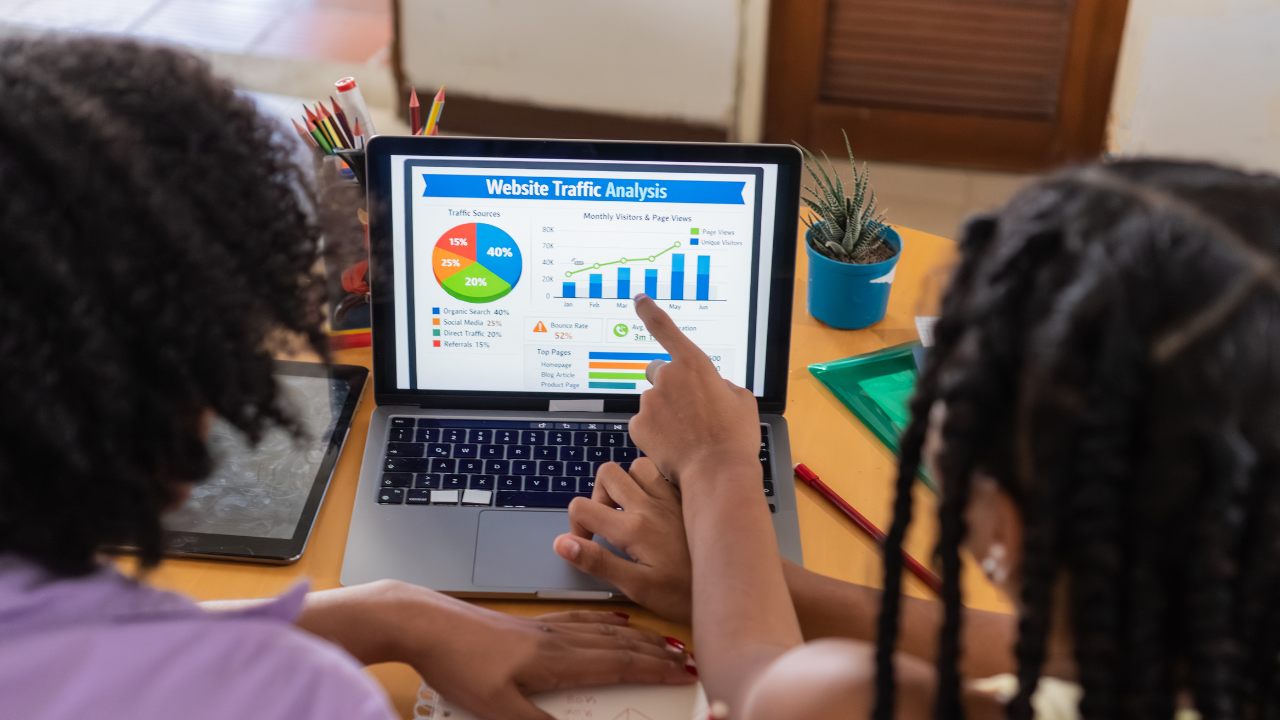
Technical SEO should be a continuous maintenance process, not a one-time setup. That is one of the most important AI facts you supplied, and it aligns with how Google encourages ongoing monitoring through Search Console and performance tools, as well as with broader search engine optimisation guidance for marketers. (Google for Developers)
Set Up Google Search Console And Analytics
Google Search Console is essential for:
- sitemap submission
- index coverage monitoring
- Core Web Vitals reporting
- search performance review
- crawl issue alerts
- URL inspection
Link it with analytics so you can connect technical improvements to search traffic, conversions, and engagement. (Google for Developers)
Monitor Search Performance Weekly
Track:
- target keyword visibility
- search engine results by page
- click-through rate
- impressions
- indexed pages
- crawl anomalies
- declines on existing pages
- performance on relevant pages
Schedule Quarterly Technical Audits
A quarterly full technical SEO audit is a practical cadence for most SMEs.
High-change sites may need monthly checks.
Integrating Technical SEO With On Page SEO And Off Page SEO
Technical SEO should support content priorities and link priorities.
That means:
- internal links should support important pages
- canonical pages should match the pages promoted through outreach
- redirects should preserve authority when URLs change
- structured data should reflect visible content
- sitemap priorities should match business priorities
Google uses links to find new pages and to understand page relevance, so strong internal links are not just a UX detail. They are a crawl and ranking signal too. (Google for Developers)
Align Fixes With Content Priorities
If the blog drives search traffic, fix blog templates.
If service pages drive leads, prioritise those.
If location pages matter, clean their indexation and schema first.
Communicate With Outreach Teams
If canonical URLs change, outreach teams need the new targets.
If broken links are repaired, update earned links where possible.
That is how technical SEO, on page, and off page seo reinforce one another instead of operating in silos.
Technical SEO For Multiple Languages And Multiple Locations

Sites with multiple languages or multiple locations need extra attention.
Common pitfalls include:
- duplicate translated pages without proper localisation
- wrong canonical tags across language versions
- overlapping location pages
- weak hreflang planning
- multiple versions targeting the same intent
Google’s internationalisation guidance sits inside its technical SEO documentation because these are crawl, duplication, and indexing issues as much as content issues. (Google for Developers)
Practical Technical SEO Checklist
Here is a condensed agency-ready technical SEO checklist:
- audit robots.txt file
- submit XML sitemap in Google Search Console
- fix broken links
- improve internal links
- review canonical tags
- consolidate duplicate content
- audit Core Web Vitals
- improve page speed
- validate schema markup
- secure site with HTTPS
- improve mobile friendliness
- review site architecture
- check redirect logic
- test important pages on mobile devices
- monitor search performance monthly
These are exactly the kinds of external links that improve trust, support AI extraction, and add real implementation value. (PageSpeed Insights)
Piri Piri Marketing Hub: Implementation Plan

For Piri Piri Marketing Hub, the most credible CTA is a practical implementation plan rather than vague promises, backed by clear strategies to promote products and services effectively.
That plan can include, alongside broader custom web development recommendations for Australian businesses:
- a free technical SEO consultation
- an initial technical SEO audit within an agreed timeframe
- a prioritised technical fix roadmap informed by strong branding and graphic design services
- monthly maintenance and reporting
- collaboration with content and development teams
Piri Piri publicly offers SEO and digital marketing services and provides direct contact details, including a South Launceston address, email, phone number, and contact form, with its broader digital marketing and web development service offering geared toward SMEs. (Piripiri Marketing Hub)
Next Steps
If your website has valuable content but weak search visibility, technical SEO may be the missing layer, especially when combined with broader digital marketing strategy advice for Australian businesses.
If your rankings fluctuate, your important pages are slow, your search index looks messy, or your website’s performance is holding back lead generation, it is time to treat technical optimization as a business priority.
Start with the crawl.
Then the index.
Then the speed.
Then the structure.
Then the monitoring.
That is how agencies and SMEs master technical SEO in a way that supports both traditional search engines and modern AI-driven search systems, especially when supported by ongoing SEO and marketing insights on the Piri Piri blog. (Google for Developers)
Contact Piri Piri Marketing Hub
To turn this technical SEO checklist into an action plan, schedule a consultation with Piri Piri Marketing Hub through its contact page, phone, or email. The agency already positions itself around SEO, web development, and digital marketing for Australian businesses, which makes a technical SEO service a strong natural fit for its audience. (Piripiri Marketing Hub)


